How to buy the Bawaal Pass
The Bawaal Pass is sold on our website, not inside the Play Store app. It takes about a minute: pay ₹99 once, get an unlock code, and enter it in the game.
Steps
- Open games.atmaloop.com/bawaal/pass in your phone's browser (Chrome works best).
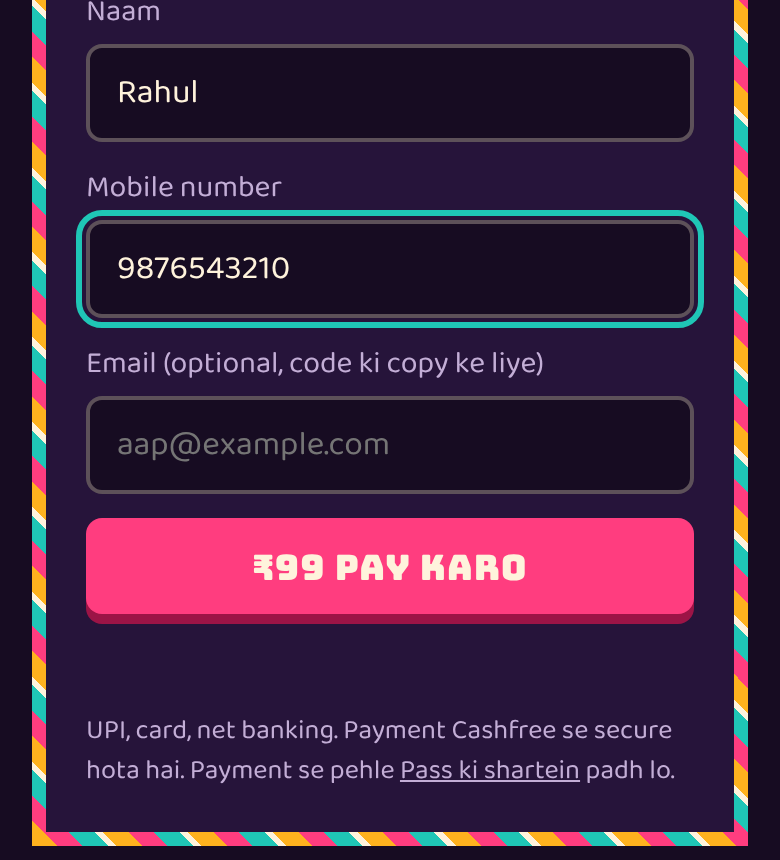
- Enter your name and 10-digit mobile number. Email is optional; add it if you want a copy of your code.
- Tap ₹99 PAY KARO and pay with UPI, card or netbanking. Payments are handled by Cashfree.
- Your unlock code appears right away, for example HB-AB12-CD34. Tap Code copy karo to copy it.
- Tap GAME MEIN CHALU KARO. The game (or the Play Store app, if installed) opens with your code filled in; tap UNLOCK. On another phone, enter the code once (see the next guide).
What you get
- Ghat Road Monsoon highway
- Badla Duel, Knockout Hunt and Elimination modes
- 2x cash in every race
- 3 exclusive paints
- All future highways and modes at no extra cost
- Works on up to 3 phones
Why not inside the app?
Google Play's rules don't allow apps to link to outside payments, so the app only has a box to enter your code. The free game works fully without the Pass.
Payment taken but no code?
UPI sometimes takes a minute to confirm. Wait on the page and tap the re-check button. If you closed the page, open the Pass page again and use 'Code kho gaya?' with the order ID from your payment SMS or email (it starts with HB).
Questions
How much is the Bawaal Pass?
₹99, paid once. There is no subscription and nothing renews.
Can I buy it inside the Play Store app?
No. It is sold on games.atmaloop.com/bawaal/pass. You then enter the code in the app.
Which payment methods work?
UPI, debit or credit card and netbanking, through Cashfree.
How many phones can use one Pass?
Up to 3 phones with the same code.
My money was deducted but I got no code. What now?
Use 'Code kho gaya?' on the Pass page with your order ID, or email support@atmaloop.com with the order ID. A paid order always gets a code.