Highway Bawaal controls
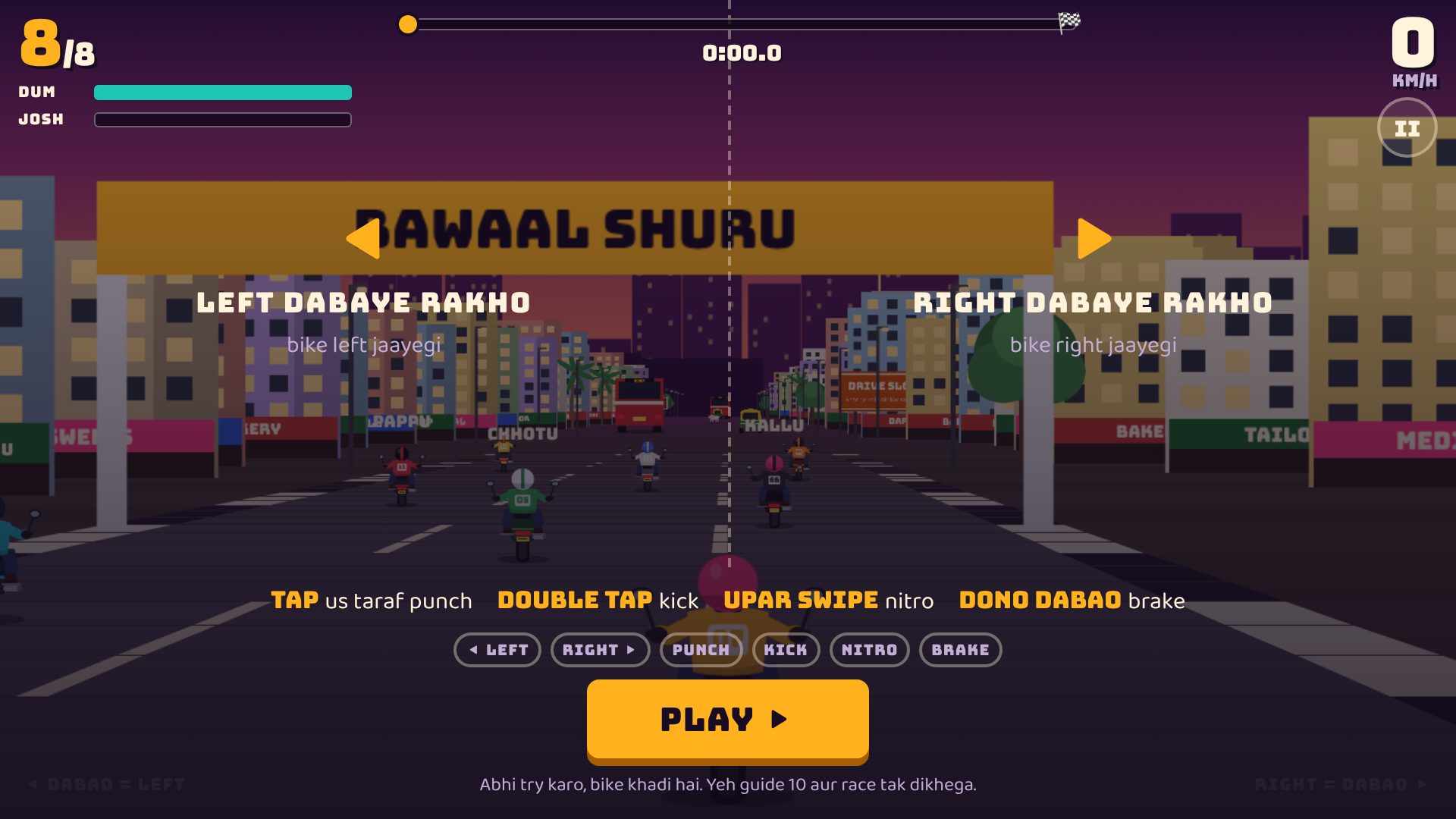
There are no buttons on screen. Your thumbs on the left and right halves of the screen do everything, and the bike accelerates by itself.
Simple controls (default)
- Hold the left half: steer left. Hold the right half: steer right.
- Tap a side: punch the rider on that side.
- Double tap: kick (stronger, slower).
- Swipe up anywhere when Josh is full: nitro.
- Both thumbs together: brake.
Who gets hit?
The rider with a yellow ring under the bike is the one your punch or kick will land on.
Other options
- Controls: Joystick, if you prefer a stick.
- 📱 Phone ghuma ke chalao: turn it ON on the title screen and steer by turning the phone like a steering wheel; taps then only punch and kick.
- Keyboard: ← → steer, ↓ brake, Z punch, X kick, Space nitro, P pause.
First races
For your first 10 races a short controls guide appears before the start, with a PLAY button so you can read it at your pace. You can bring it back from the How to play screen.
Questions
How do I accelerate?
You don't need to. The bike speeds up by itself; you steer, fight and brake.
How do I brake?
Press both halves of the screen at the same time.
How do I use nitro?
Fill the Josh meter by hitting riders and near misses, then swipe up.
Can I use a joystick?
Yes. Change Controls to Joystick on the title screen.
Should I play in portrait?
No, turn your phone sideways. The game is made for landscape.