
How to enter your unlock code
Bought the Pass on the website? Here is how to switch it on in the Highway Bawaal app, move it to a new phone, or get your code back.
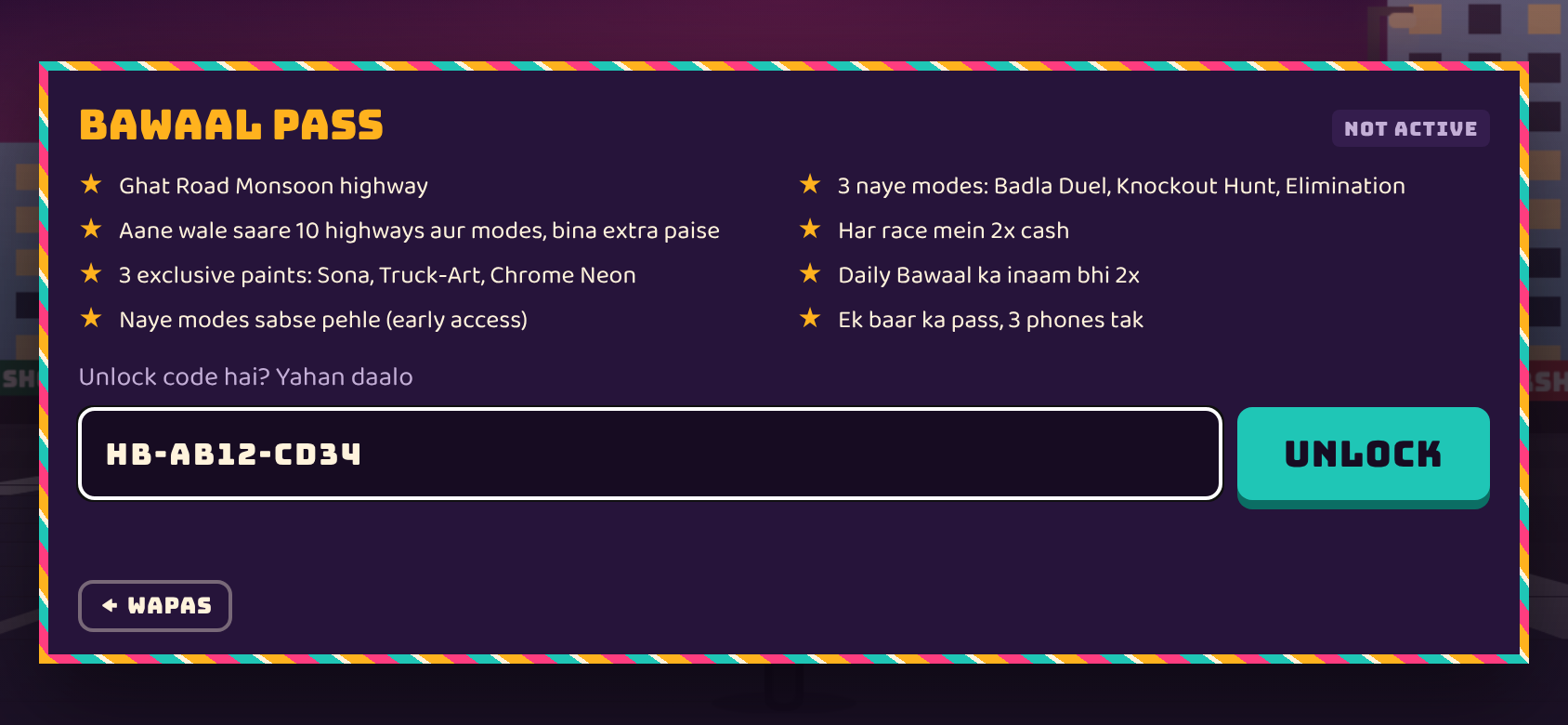
Enter the code in the app
- Open Highway Bawaal and make sure you are online.
- On the title screen tap BAWAAL PASS.
- In 'Unlock code hai? Yahan daalo', type your code, e.g. HB-AB12-CD34 (dashes and capitals are optional).
- Tap UNLOCK. You'll see PASS ACTIVE ★ and every highway and mode opens.
Using it on another phone
Enter the same code on the new phone. One code works on up to 3 phones. Clearing the app's data or reinstalling also needs the code again, but it does not use up a new phone slot on the same phone.
Lost your code?
Open games.atmaloop.com/bawaal/pass, scroll to 'Pehle khareeda tha? Code kho gaya?', enter the order ID from your payment SMS or email (starts with HB) and tap CODE NIKAALO.
Messages you might see
- 'Code aisa dikhta hai: HB-AB12-CD34': check the format.
- 'Yeh code nahi mila': check for typos such as O and 0.
- 'Yeh code pehle se 3 phones pe chal raha hai': the code is already on 3 phones; email support@atmaloop.com.
- 'Code check karne ke liye internet chahiye': connect and try again.
Questions
Where do I enter the Bawaal Pass code?
Title screen → BAWAAL PASS → 'Unlock code hai? Yahan daalo' → UNLOCK.
Do I need internet to unlock?
Yes, once, to check the code. After that the Pass works offline.
I changed my phone. Do I pay again?
No. Enter the same code on the new phone; one code works on up to 3 phones.
I lost my code. How do I get it back?
On the Pass page use 'Code kho gaya?' with your order ID, or email support@atmaloop.com.